
Configure and use in Hermes Agent
This tutorial is suitable for users who want to run Hermes directly on their computers.
Windows 用户
Windows recommends running Hermes in WSL. The following Windows command refers to the Windows + WSL environment by default; if you use the official Hermes Windows installation method, please press the official installer and refer to the same configuration file content after completing it.
Step 1: Install Hermes
Run the install command based on your system first.
curl -fsSL https://raw.githubusercontent.com/NousResearch/hermes-agent/main/scripts/install.sh | bashcurl -fsSL https://raw.githubusercontent.com/NousResearch/hermes-agent/main/scripts/install.sh | bashcurl -fsSL https://raw.githubusercontent.com/NousResearch/hermes-agent/main/scripts/install.sh | bashAfter installation, Hermes 'configuration is usually located at:
~/.hermesIf thehermescommand cannot be found in the current terminal after installation, please close the terminal and reopen it.
Step 2: Connect Hermes to PuLu AI
First open the Hermes configuration directory. You can modify files with your handy editor.
cd ~/.hermes
explorer.exe .cd ~/.hermes
open .cd ~/.hermes
xdg-open .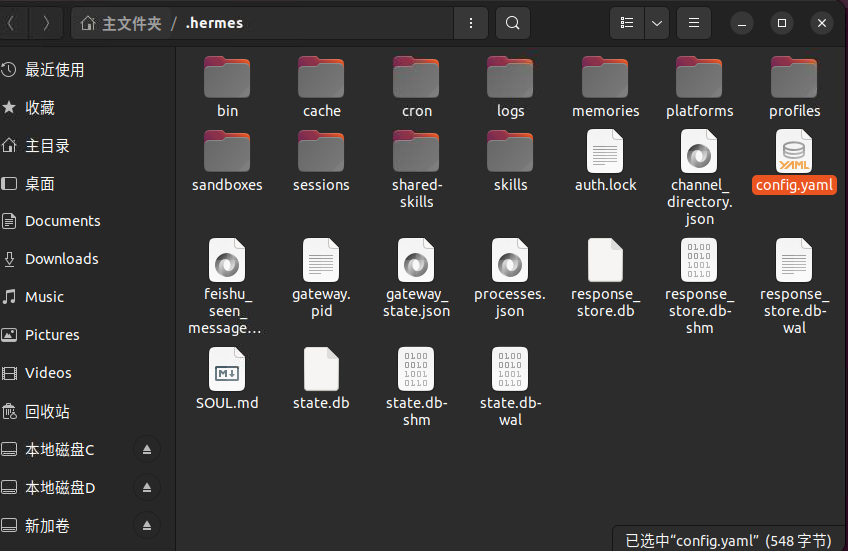
Then openconfig.yamland change the model configuration to the following:
model:
  provider: custom
  default: gpt-5.4-xhigh
  base_url: https://www.puluai.com/v1
  api_mode: chat_completions
It can be directly understood as follows:
base_urltells Hermes which interface address to send requests to in the future.defaultis which model is used first by default.api_modeJust write it first, without first studying the details of the protocol behind it.
Then open~/.hermes/.envand fill in your own key:
OPENAI_API_KEY=你的密钥If there is alreadyOPENAI_API_KEYin this file, change it to the Key you want to use this time.
Step 3: Apply a cache compatibility patch
This step is used to make Hermes more suitable for interfaces such as PuLu AI and improve cache hit performance in repetitive context scenarios.
git clone https://github.com/foryourhealth111-pixel/hermes-codex-proxy-cache-compat.git
cd hermes-codex-proxy-cache-compat
bash scripts/apply_patches.sh ~/.hermes/hermes-agent
bash scripts/install_skill.sh ~/.hermesgit clone https://github.com/foryourhealth111-pixel/hermes-codex-proxy-cache-compat.git
cd hermes-codex-proxy-cache-compat
bash scripts/apply_patches.sh ~/.hermes/hermes-agent
bash scripts/install_skill.sh ~/.hermesgit clone https://github.com/foryourhealth111-pixel/hermes-codex-proxy-cache-compat.git
cd hermes-codex-proxy-cache-compat
bash scripts/apply_patches.sh ~/.hermes/hermes-agent
bash scripts/install_skill.sh ~/.hermesInfo
The transit address not only depends on the content sent, but also is affected by the complete request structure. The patch will fill in this structure, bringing cache hits closer to the performance of native Codex.
Step 4: Start Hermes and make a minimum available confirmation
hermeshermeshermesAfter entering, ask a simple question first, such as:
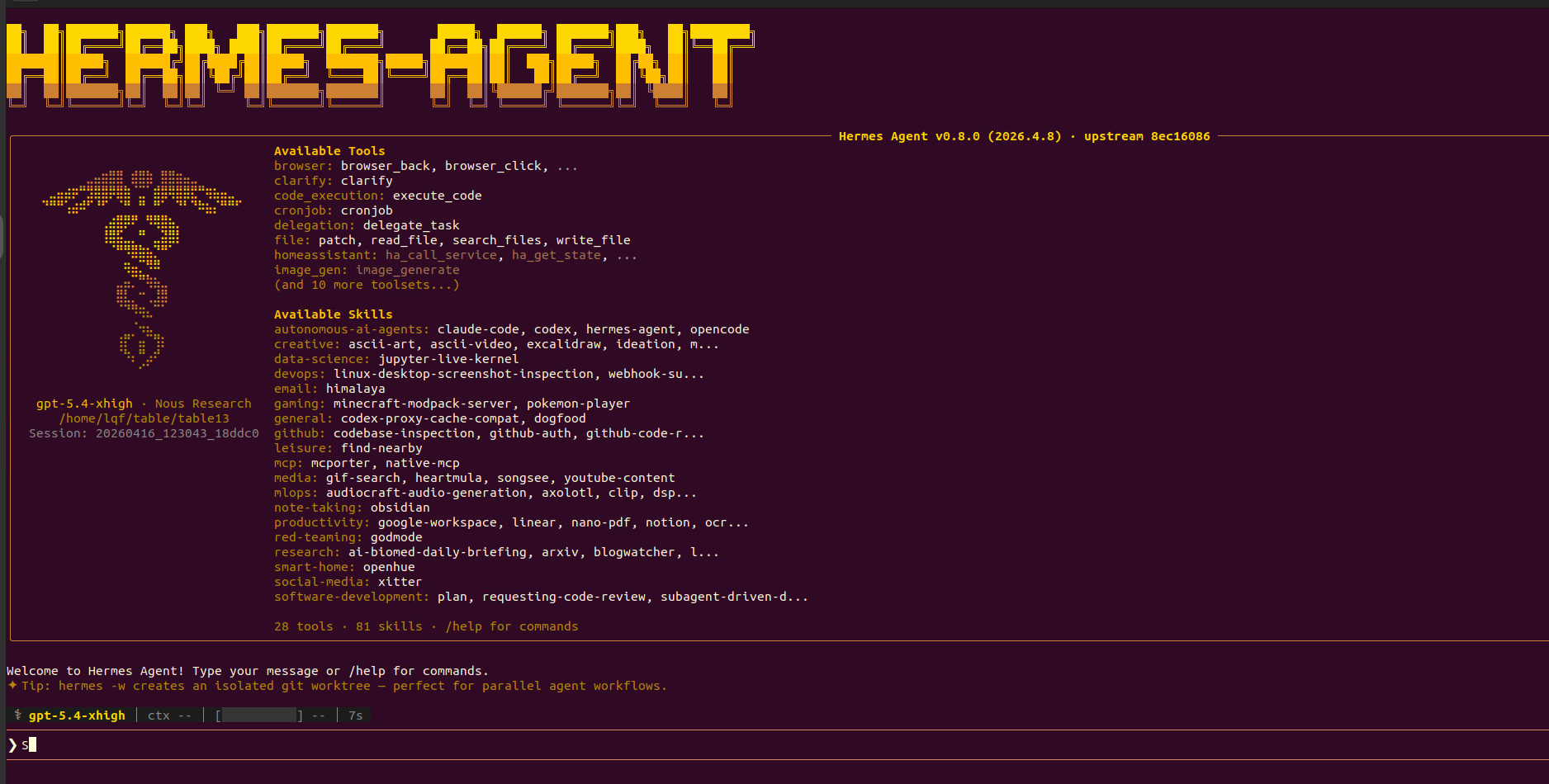
请用三句话介绍一下 Hermes 是做什么的。As long as it can return content normally, this round will be considered complete.
If this step reports a Key error, an address error, or the model does not exist, go back to the second step and check again.
Tips
If you want to check if the cache is active later, you can ask questions with similar prefixes twice in the same session, and then pay attention tocached_tokensor_PULUAI_TOKEN_1__.